
Image Describer
Use this free AI image describer to turn photos, screenshots, and illustrations into clear, detailed descriptions. No sign-up required.
Your image
You can also paste an image from your clipboard.
Completely free · No sign up required
Your image description
AI OUTPUTYour image, described.
Describe the subject, actions, surroundings and visible details.
AI can miss details. Check the description against your image before using it.
Your image is sent for AI processing when you select Describe image. This tool does not save uploads or descriptions to an account.
How to Describe an Image with AI
Use the image describer online in three steps: upload an image, choose your output, and generate text.
Upload your image
Choose a photo, screenshot, or illustration. You can also drag and drop an image into the tool.
Choose your output
Select a description type, choose an output language, and add any details you want the AI to focus on.
Generate and copy
Watch your result appear, make any edits, then copy the text or download it.
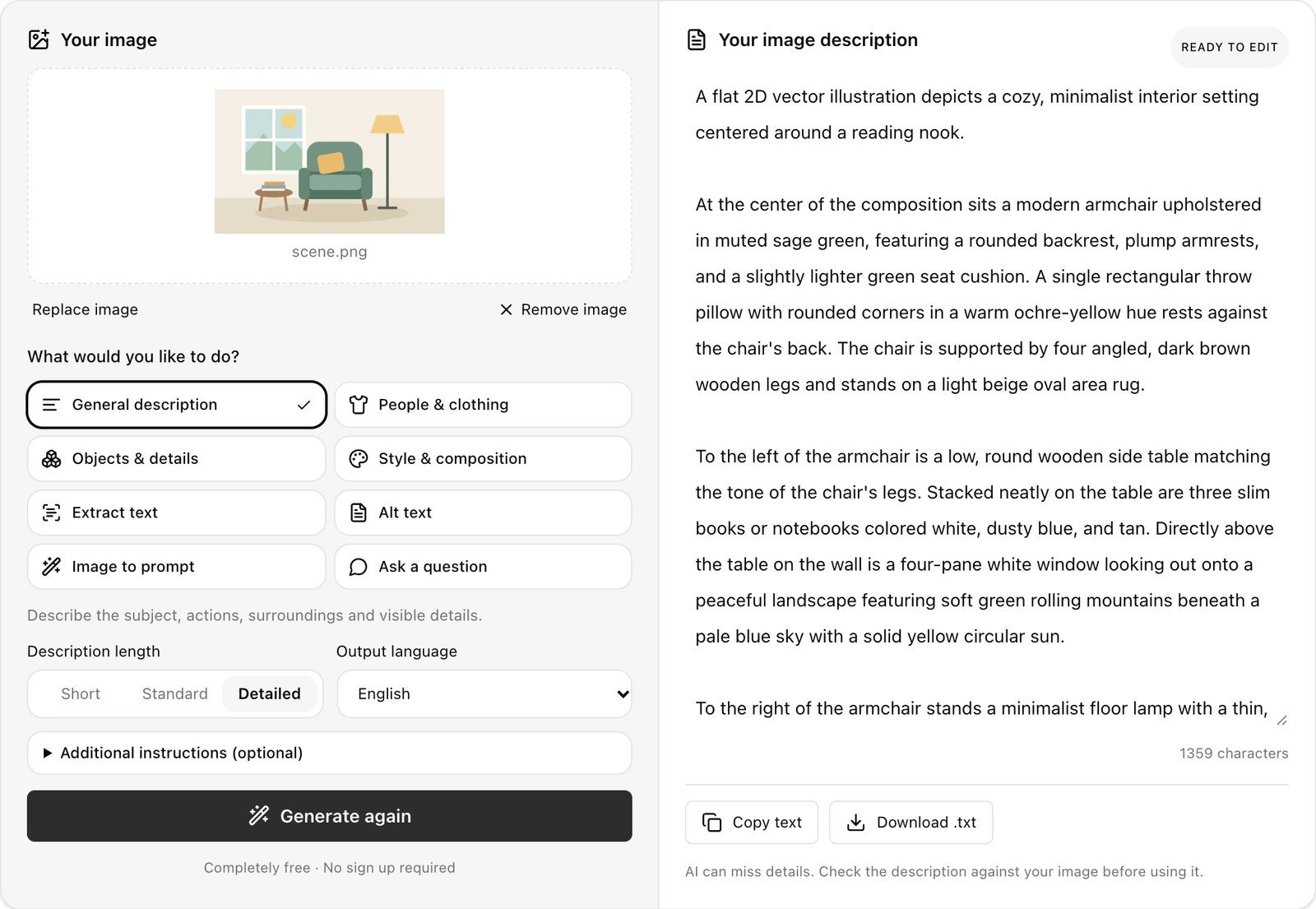
Image Description Examples
Explore image describer examples for scenes, products, and screenshots, with generated descriptions, alt text, and extracted text.
Scene Description Example
See how the AI image describer captures the main subject, setting, and visible details in a reading-corner illustration.
Product Image Alt Text Example
Turn a product image into concise alt text that you can review in the context of your page.
Screenshot Text Extraction Example
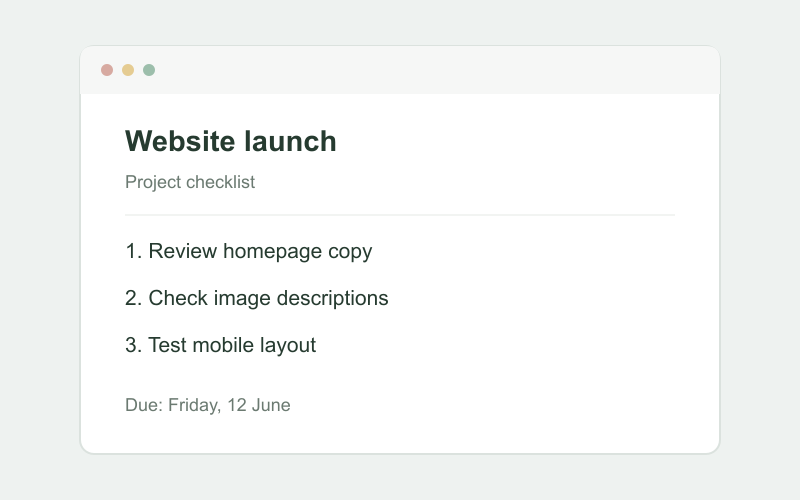
Extract the visible text from a project checklist while preserving its line breaks and order.
These examples were generated with this tool. Your result may vary.
Your image
 scene.png
What would you like to do?
Describe the subject, actions, surroundings and visible details.
Completely free · No sign up required
Your image description
READY TO EDITA minimalist illustration shows a cozy living room featuring a green armchair with a yellow cushion positioned between a small side table holding books and a standing floor lamp. A four-pane window behind the chair looks out onto mountains under a sunny sky.
258 characters
AI can miss details. Check the description against your image before using it.
Your image
 product.png
What would you like to do?
Draft a concise image alternative suited to its page context.
Page context (optional)
Completely free · No sign up required
Your image description
READY TO EDITMinimalist vector illustration of a green ceramic mug casting a soft shadow on a plain beige background.
104 characters
AI can miss details. Check the description against your image before using it.
Your image
 screenshot.png
What would you like to do?
Transcribe visible text in its original language. Unclear text may need review.
Completely free · No sign up required
Your image description
READY TO EDITWebsite launch Project checklist 1. Review homepage copy 2. Check image descriptions 3. Test mobile layout Due: Friday, 12 June
129 characters
AI can miss details. Check the description against your image before using it.
More Ways to Use Your Image Descriptions
Choose how to use the image describer: explore visual details, draft website alt text, extract visible text, or create an image prompt.
Understand visual details
Explore the subjects, objects, clothing, colors, and composition in an image. Ask a question to focus on a specific detail.
Draft alt text for your website
Create a concise description for a website image, then review it in the context of the surrounding page.
Extract text from screenshots
Turn visible text into editable content while keeping its original language.
Turn images into creative prompts
Describe a reference image’s subject, lighting, composition, and style as a reusable AI image prompt.
Your image
product.pngWhat would you like to do?
Draft a concise image alternative suited to its page context.
Page context (optional)
Completely free · No sign up required
Your image description
READY TO EDITMinimalist vector illustration of a green ceramic mug casting a soft shadow on a plain beige background.
104 characters
AI can miss details. Check the description against your image before using it.
Frequently Asked Questions
Ready to Describe Your Image?
Try the free image describer with your own photo, screenshot, or illustration, then edit, copy, or download the generated text.
Describe an imageCompletely free · No sign-up required