

Skip to content

Image to Video Prompt Generator

Use this free image to video prompt generator to plan what happens after your reference frame. Choose subject motion, camera movement and a short shot duration, then edit the written direction for the video tool you use.

Your image

You can also paste an image from your clipboard.

Output settings

Propose motion and camera direction grounded in your reference image.

Additional instructions (optional)

0/1000

Completely free · No sign up required

Your video prompt

AI OUTPUT

Give your image a little motion.

Propose motion and camera direction grounded in your reference image.

AI OUTPUT

Motion is a creative suggestion. Review the shot for consistency with your reference before using it.

Image links are imported through our server. Your image is sent for AI processing only when you generate a result. Images and results are not saved to an account.

How to Plan a Shot from One Image

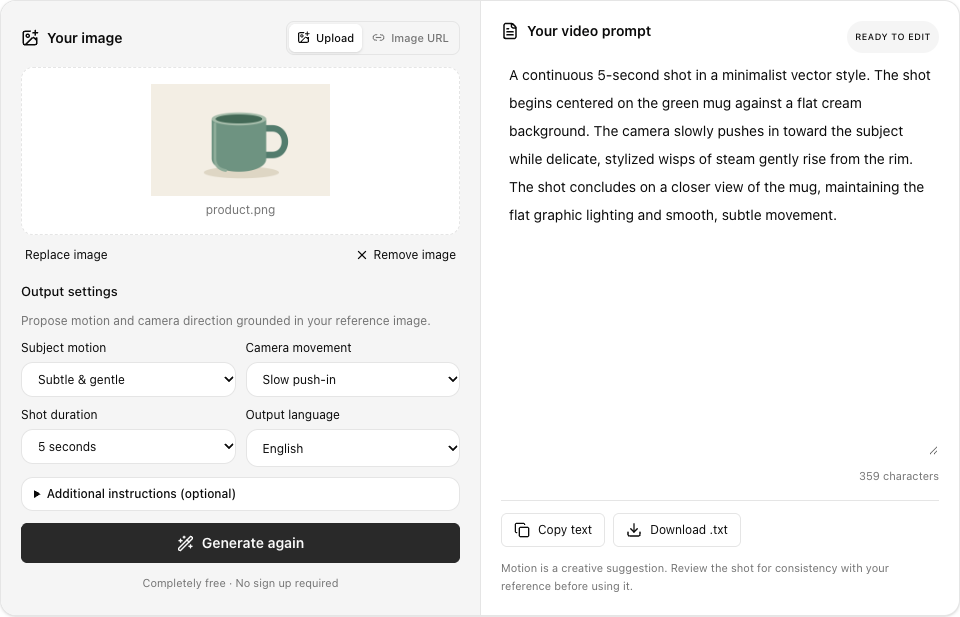
Choose an opening image, decide how the subject and camera should move, and review the generated direction. This workspace shows a real prompt for the mug illustration.

  1. Choose your opening frame

    Upload a photo, illustration or product reference. You can paste an image or import a public image link.

  2. Set the movement

    Choose subject motion, camera direction and a 5- or 10-second shot intention. Add your own creative direction if you like, keeping the movement focused on the main subject and the composition you want to preserve.

  3. Take the prompt to your video tool

    Edit the shot description, copy it into the video tool you use, or download it for later. Check how that service handles reference images and follow its own controls when creating the finished video.

Video prompt workspace with a green mug reference, subtle subject motion, slow camera push in, five second intention and a generated English shot description.

Image to Video Prompt Examples

Start with one of our reference images. The English results below were generated with this tool; your result may vary.

  • A gentle push into a scene

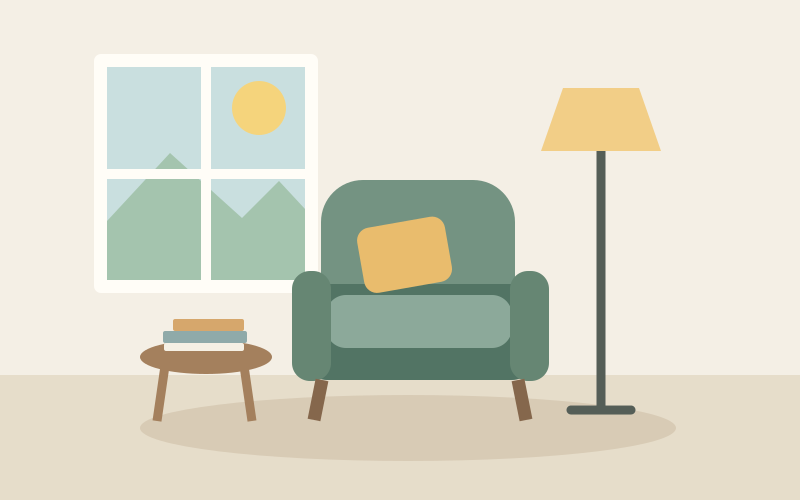
    Watch how the proposed shot stays with the reading corner rather than inventing a different location. The gentle light change is creative direction, not movement observed in the still image.

  • A quiet product reveal

    The product example uses a simple approach toward the mug. Proposed steam is an animation idea; remove it when it conflicts with the product or the effect you want.

  • A slow look at a checklist

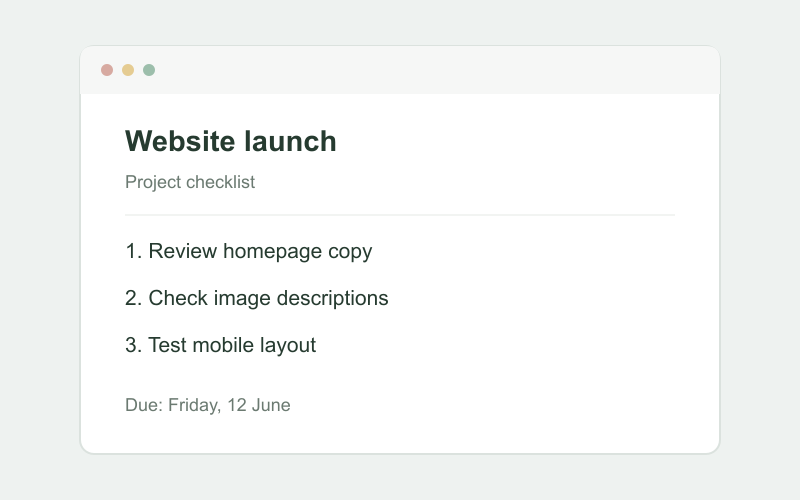
    A slow move toward the checklist demonstrates camera direction on a graphic reference. Review readability carefully before using this idea in a video tool that may alter lettering.

Your image

Original reading-corner illustration used as a video reference.scene.png

Output settings

Propose motion and camera direction grounded in your reference image.

Completely free · No sign up required

Your video prompt

READY TO EDIT

A continuous five-second shot in a clean 2D vector animation style. The video opens centered on the green armchair with its yellow cushion, flanked by the floor lamp and side table beside a window overlooking mountains. As the camera slowly pushes in toward the armchair, soft light through the window gently shifts, casting a subtle warmth across the room. The shot ends in a closer, serene medium view of the armchair.

420 characters

Motion is a creative suggestion. Review the shot for consistency with your reference before using it.

More Ways to Plan Your Next Shot

Bring focus to a product reveal, an illustrated scene or a quiet camera move. Keep each direction tied to the reference you chose.

  • Plan a continuous shot

    Describe how the scene begins, moves and settles, rather than listing disconnected visual details.

  • Choose the camera direction

    Keep the frame still, move closer, pan across the scene or propose an orbit around the subject.

  • Keep your reference in view

    Preserve visible subjects, colors and style while treating new movement as a creative proposal.

Your image

Original green mug illustration used as a product video reference.product.png

Output settings

Propose motion and camera direction grounded in your reference image.

Completely free · No sign up required

Your video prompt

READY TO EDIT

A slow, continuous push-in toward the minimalist green mug centered on the flat cream background. Gentle, stylized wisps of steam begin to rise smoothly from the opening, drifting softly upward. The static flat illustration style is maintained as the camera glides closer, ending on a tighter framing of the mug.

312 characters

Motion is a creative suggestion. Review the shot for consistency with your reference before using it.

Build a Clear Image to Video Prompt

An effective image to video prompt connects the visible reference with a small, understandable sequence of movement. Start with the framing you already have, choose an action that fits the subject, and decide where the camera and subject should finish.

Choose an opening frame that supports movement

Start an image to video prompt with a clear subject and setting. A simple composition makes the intended movement easier to follow. Use optional instructions to identify the focus, and treat everything that happens after the still frame as a creative proposal.

Separate subject motion from camera motion

An image to video prompt separates subject movement from camera movement. A small turn or drifting fabric changes the scene; a push in, pan or orbit changes the viewpoint. Choose a combination that serves your reference instead of moving everything at once.

Give a short shot a clear beginning and ending

Read your image to video prompt as a beginning, development and ending. Remove competing actions. The five or ten second setting guides the written direction; it does not control the duration produced by another video service. Review that service’s own controls separately.

Match the writing to a useful creative task

Use an image to video prompt for a product reveal, illustration animation or camera study. A gentle move toward the mug and an energetic orbit suggest different directions. For a checklist reference, protect readability and avoid unnecessary changes to the displayed words.

Keep visible facts separate from imagined action

An image to video prompt cannot recover original motion or accurately reveal unseen surfaces. An orbit may invent views beyond the reference. Check whether proposed movement changes your subject’s shape or identity, and simplify the action when it contradicts the starting image.

Revise the direction before using a video generator

Remove contradictory camera directions and actions requiring a different opening frame. Add a short instruction before regenerating if needed. You can stop, edit, copy or download the text. This tool does not render video or guarantee another generator’s interpretation.

Questions About Writing Video Prompts

It is a written direction for animating a reference image, covering subject movement, camera motion and how a short shot develops.

Ready to Plan Your Video Prompt?

Give your reference a movement and a camera direction, then edit the written shot before taking it to your video tool.

Generate video prompt

Completely free · No sign-up required